
How to Install IPTV Smarters Pro on Firestick – Complete 2026 Setup Guide
If you are looking for how to install IPTV Smarters Pro on Firestick, this guide will walk you through the entire setup process step by step. IPTV Smarters Pro is one of the most popular IPTV players used to stream live TV channels, movies, and series through IPTV subscriptions.
With this guide, you will learn how to prepare your Firestick device, install the required downloader tool, and configure IPTV Smarters Pro to start streaming quickly.
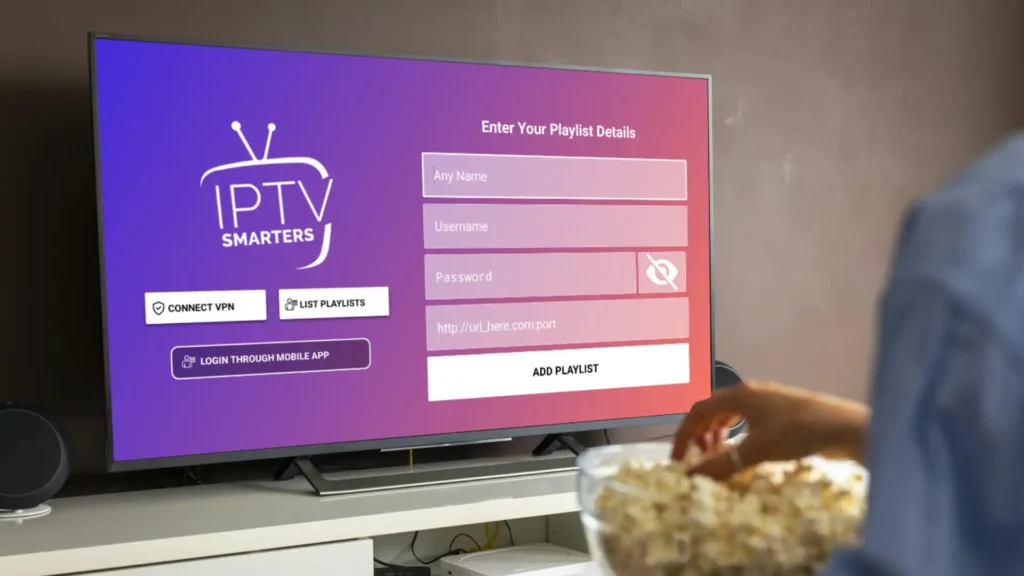
Why IPTV Smarters Pro Is Popular on Firestick
Many users choose IPTV Smarters Pro when learning how to install IPTV Smarters Pro on Firestick because it offers a simple interface and powerful streaming features.
The app supports Xtream Codes login, M3U playlists, Electronic Program Guide (EPG), and parental controls. This makes it one of the most reliable IPTV players for Firestick devices.
To use the application, you will need valid IPTV credentials such as an M3U playlist or Xtream Codes login details.
Step 1: Enable Developer Settings on Firestick
Before installing IPTV apps, you must prepare your device. This is the first step in how to install IPTV Smarters Pro on Firestick.
Follow these instructions:
Open Settings on your Firestick.
Select My Fire TV.
Go to Developer Options.
Turn on Apps from Unknown Sources or enable installation permissions for Downloader.
If you cannot see Developer Options, open About and click the Device Name multiple times until developer mode is activated.
Step 2: Install the Downloader Application
Since IPTV Smarters Pro is not always available in the Amazon App Store, the Downloader app is used during the process of how to install IPTV Smarters Pro on Firestick.
Steps to follow:
Go to the Search icon on the Firestick home screen.
Type Downloader.
Install the application.
Open Downloader and allow the required permissions.
Downloader will be used to install the IPTV Smarters Pro APK file.
Step 3: Download the IPTV Smarters Pro APK
The next step in how to install IPTV Smarters Pro on Firestick is downloading the APK file using Downloader.
Steps:
Open the Downloader application.
In the URL field, enter the download code 78522.
Click Go to begin the download.
Wait for the APK file to download automatically.
Once completed, select Install.
After installation, you can delete the APK file to save storage space on your Firestick.
Step 4: Configure IPTV Smarters Pro Account
After installing the application, the final step in how to install IPTV Smarters Pro on Firestick is setting up your IPTV account.
Follow these steps:
Open IPTV Smarters Pro.
Select Login with Xtream Codes API.
Enter your IPTV subscription details.
Required information includes:
Any Name (your preferred label)
Username and Password
Server URL provided by your IPTV service
After entering the details, click Add User to connect your IPTV account.
Streaming Optimization and Common Fixes
To improve your streaming experience after completing how to install IPTV Smarters Pro on Firestick, consider the following tips:
Buffering issues: Use a stable high-speed internet connection.
App lag: Clear cache from Firestick settings.
Privacy protection: Consider using a VPN while streaming IPTV content.
These steps help maintain smooth streaming performance.
Devices Compatible with IPTV Smarters Pro
IPTV Smarters Pro works on multiple devices, making it a flexible IPTV player for streaming content.
Supported devices include:
Amazon Firestick
Android TV boxes
Smart TVs
Smartphones and tablets
Windows and Mac computers
This compatibility makes IPTV Smarters Pro one of the most popular IPTV applications for streaming live TV and on-demand content.
How to Install IPTV Smarters Pro on Firestick – Final Notes
By following this guide on how to install IPTV Smarters Pro on Firestick, you can quickly set up the application and start streaming IPTV content.
Once configured correctly, IPTV Smarters Pro provides an organized and reliable interface for watching live channels, movies, and series.
After learning how to install IPTV Smarters Pro on Firestick, you can also check our guide about IPTV lifetime subscription plans to access premium streaming services.
You may also want to explore our IPTV reseller program if you want to start selling IPTV subscriptions.
Frequently Asked Questions About IPTV Smarters Pro on Firestick
Below you will find answers to common questions related to how to install IPTV Smarters Pro on Firestick, including installation steps, compatibility, and streaming performance.
To complete how to install IPTV Smarters Pro on Firestick, first enable developer options on your Firestick, install the Downloader app, download the IPTV Smarters Pro APK, and then log in using your IPTV credentials.
In most cases, IPTV Smarters Pro is not available directly in the Amazon App Store, which is why many users follow the how to install IPTV Smarters Pro on Firestick method using the Downloader application.
After finishing how to install IPTV Smarters Pro on Firestick, you will need IPTV credentials such as Xtream Codes login details or an M3U playlist link provided by your IPTV service.
Yes, IPTV Smarters Pro works well on Firestick devices when you have a stable internet connection and properly configure the app during the how to install IPTV Smarters Pro on Firestick setup process.
Many users choose to use a VPN after completing how to install IPTV Smarters Pro on Firestick to improve privacy and avoid potential ISP restrictions while streaming.